
Who Are the Leading DrChrono Outsourcing Providers?
Dedicated HIPAA-trained teams work inside your own DrChrono account, covering the front desk, Real Time Eligibility, prior authorizations, referrals, the Live Claims Feed, and reporting, end to end. Flat weekly pricing from $299 per FTE (volume based), with a trained backup included at no charge. Live in 14 days.





The Work Your Team Does in DrChrono, We Staff
What Is DrChrono?
DrChrono is a cloud EHR and practice management platform best known as one of the first EHRs built natively for the iPad. Clinicians chart on iOS with touch, Apple Pencil, and camera capture, while the practice side runs in the browser: the appointment calendar, the OnPatient patient portal, Billing Profiles, the Live Claims Feed, Remittance Reports, and the RCM Tasks Page. Since 2021 it has been part of EverCommerce and now operates as DrChrono by EverHealth, with its core audience in solo practitioners and small groups in primary care, urgent care, dermatology, podiatry, and chiropractic.
The catch is that fast mobile charting does not shrink the administrative day. Someone still has to run Real Time Eligibility before visits, apply the right Billing Profile to each appointment, work every status in the Live Claims Feed, reconcile ERAs on the Remittance Report screen, and close out tasks on the RCM Tasks Page. In a two-person front office, those queues compete with the phones and the waiting room, and the queues usually lose. That is the exact gap this service closes.
Who Is This For?
Practices that chose DrChrono for its speed and mobility and are now paying for that speed with admin evenings: solo practitioners, two-to-five provider groups, urgent care clinics, and iPad-heavy specialties like dermatology, podiatry, and chiropractic. It fits a single physician who needs one trained DrChrono assistant as much as a small group that needs a billing desk plus front-office coverage.
Where DrChrono Practices Lose Time and Money
Every claim in the feed carries a status, and several of them mean revenue is sitting still until a human acts. Without a daily owner, stuck claims look like normal workflow.
See the fixDrChrono can check coverage from the Insurance and Real Time Eligibility screen before the visit. When the front desk is buried, patients arrive with lapsed plans and the denial shows up weeks later.
Billing Profiles auto-populate charges from the appointment, which is fast and dangerous. A profile applied to the wrong visit type ripples into fee schedule mismatches and rework in the feed.
ERAs land on the Remittance Report screen and tasks stack up on the RCM Tasks Page, but posting variances and follow-ups only get resolved if someone owns them every day.
Front Office and Patient Records
Our team registers new patients and keeps DrChrono records clean: demographics, insurance entry on the Insurance and Real Time Eligibility screen, responsible party, contacts, and pharmacy details. We process OnPatient intake forms and e-signed consents as they arrive, so charts are complete before the clinician opens the iPad. The payoff is data quality at the front of the funnel, which protects each step downstream from eligibility to the Live Claims Feed.
Scheduling and Patient Communication
What can a remote assistant actually do in your DrChrono calendar? Build and maintain appointments across providers, locations, and exam room views, apply the correct Billing Profile at booking so charges start right, work OnPatient appointment requests the same day, and make confirmation and recall calls in your practice’s name. Fewer no-shows and a fuller book, without pulling your on-site staff off the front desk.
Real Time Eligibility and Insurance Verification
We run Real Time Eligibility inside DrChrono ahead of every scheduled visit, review the eligibility history when payers disagree, verify plan detail directly with the payer where the electronic response is thin, and correct coverage entries before the patient arrives. Eligibility mistakes are one of the quietest sources of denials in small practices; checking before the visit removes them at the source.
Prior Authorization
DrChrono keeps your chart and claim in one place, but authorizations still live on payer portals, fax lines, and hold music. Our specialists run that outside work, document the authorization number and validity window against the appointment and claim in DrChrono, track expirations on a shared tracker, and make sure no pre-auth service reaches the Live Claims Feed without an auth on file. The result is fewer authorization denials and fewer lapsed auths mid-treatment.
Referral Coordination
We triage incoming faxes and documents daily, index records to the right DrChrono chart, call the patient, and schedule, then log every referral on a shared tracker your team can audit. Outbound, we prepare referral packets with the clinical documents the receiving practice needs, so patients move instead of waiting on paperwork.
Medical Billing and the Live Claims Feed
Can you outsource DrChrono billing? Yes. Dedicated billers work claims end to end inside your account: charge review against Billing Profiles and Fee Schedules, claim scrubbing and submission, then daily ownership of every status in the Live Claims Feed so stuck claims get touched the day they stall. We post ERAs from the Remittance Report screen and manual EOBs through Patient Payments, apply adjustments through the Adjustment Master, work denials and AR, and reconcile daily. For the full revenue cycle picture, see Outsourced Revenue Cycle Management Services.
Documentation and Inbox Support
We support the provider’s documentation workflow without touching clinical judgment: filing incoming documents to charts, routing OnPatient messages and refill requests to the right owner, and keeping assigned items on the RCM Tasks Page moving between billers, front desk, and providers. This is administrative support, not scribing, and the boundary is written into the SOW.
Reports, Tasks, and Admin
We run the reporting rhythm most DrChrono practices skip after go-live: daily reconciliation of posted payments against Remittance Reports, weekly AR and aging review, unbilled appointment sweeps so visits never sit without a claim, and MIPS Assist follow-up for quality reporting. Someone on our team owns that calendar, so revenue leaks get caught early instead of at year end.
Put a Dedicated DrChrono Team on This Work
You have seen what we cover. The next step is simple: meet us, pick the seats you need, and watch a trained team work your own DrChrono queues before you commit to anything.
Book Your 2-Week Free TrialHow Our Teams Train and Go Live on DrChrono
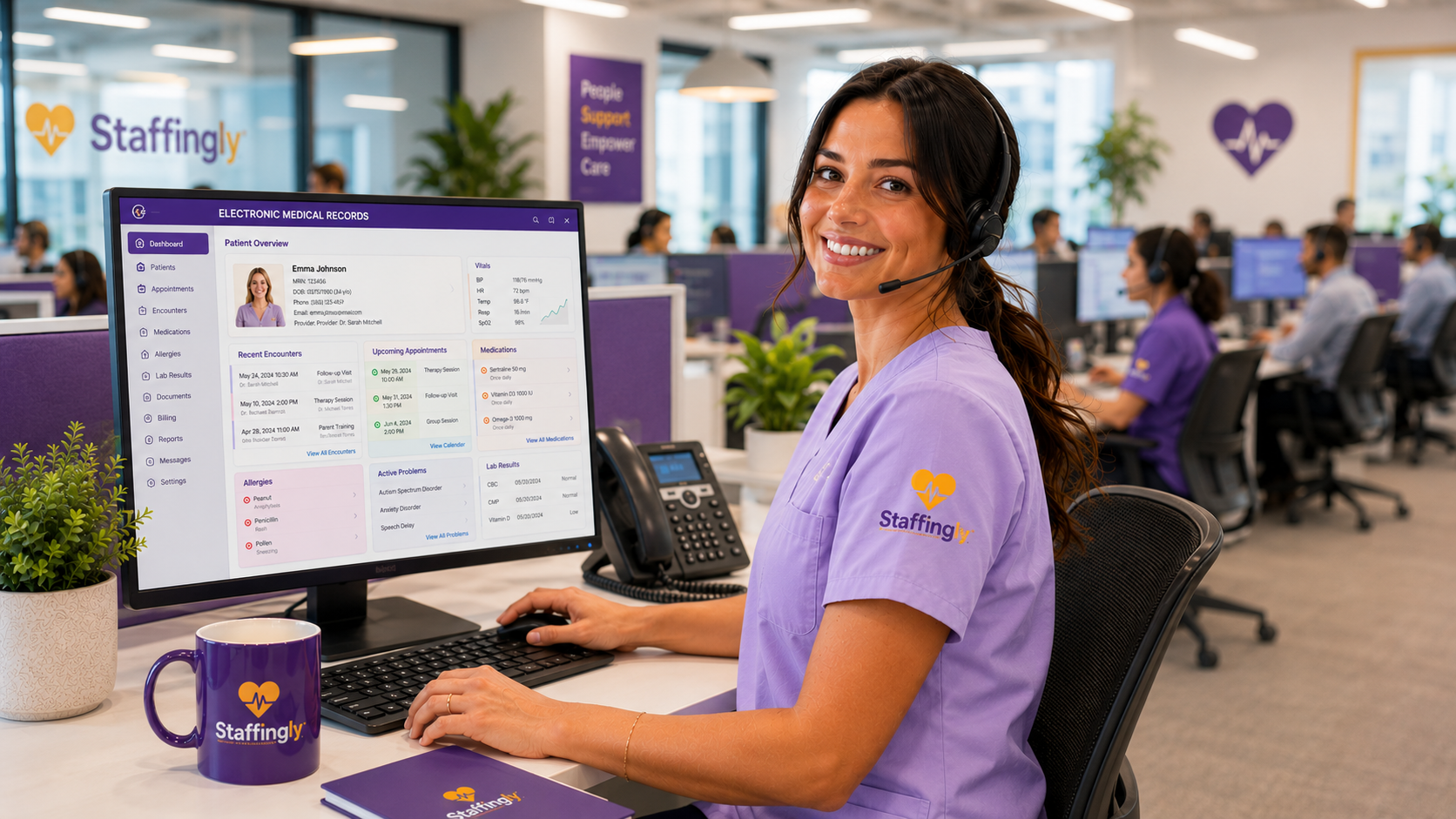
Before anyone touches your production account, specialists work through our SOP library and drill DrChrono screens in training sessions: the calendar and Billing Profiles, the Insurance and Real Time Eligibility screen, the Live Claims Feed statuses, Remittance Report posting, and the RCM Tasks Page. Go-live starts with supervised production against your own SOPs, a trained backup shadows every seat from day one, and production is reported to you every evening in your format. Every specialist works under an individual HIPAA agreement with named, auditable DrChrono credentials, never shared logins.
Why Outsource DrChrono Work, and Why Staffingly
Most vendors sell DrChrono billing or a DrChrono assistant. We staff across the workflow: front office, eligibility, auths, referrals, the Live Claims Feed, and reporting, so work stops falling between vendors.
DrChrono sells its own RCM service bundled into its top software tier, quoted per practice against your billing volume. Our model is a flat weekly fee per dedicated specialist, so every efficiency gain accrues to the practice. Do the math both ways; we will help on the call.
Our specialists train on the actual screens your staff live in, Billing Profiles, Real Time Eligibility, the Live Claims Feed, and Remittance Reports, before they ever open your account.
Live in 14 days. 2-Week Free Trial. Replace any team member in 48 hours. 800+ providers served, 4.9 Google rating you can verify on our listing.
Practice Types We Support on DrChrono
Solo primary care (the classic DrChrono practice: one physician, one assistant, iPad-first and mobile), small multi-provider groups, urgent care clinics running volume scheduling and eligibility, dermatology and podiatry practices that picked DrChrono for iPad charting and photo capture, chiropractic offices with recurring visit cycles, and house-call or concierge practices that operate entirely from mobile devices and need their back office run remotely.
Process and Onboarding
20 to 30 minutes on Teams. We map your DrChrono queues and pain points before we meet.
Named DrChrono user credentials per specialist, least-privilege roles, your approval on every account.
Your SOPs plus our DrChrono training drills; supervised production from day one.
Daily production reports, weekly KPI review, month-to-month after your 2-Week Free Trial.
Security and Compliance
HIPAA-trained staff. Business Associate Agreements executed with every client. Workflows designed to support HIPAA compliance, with SOC 2 Type II attestation, ISO 27001:2022, $5M E&O and cyber liability coverage, and named individual credentials with full audit logs. Read the complete program, including our corporate structure and evaluation framework, at HIPAA and Security at Staffingly.
Flat Weekly Pricing Per Dedicated Specialist
1 to 4 dedicated DrChrono FTEs.
5 to 9 FTEs.
10+ FTEs.
45 hours of coverage for less than others charge for 40.
$399 per week works out to $8.87 per hour across 2,340 hours of coverage a year, flat. Your dedicated specialist covers a 9 hour day, Monday to Friday, a full hour more than a standard shift: the day starts by clearing what arrived after you closed, overnight faxes, refill requests, and portal messages, and it ends past your close so far less rolls into tomorrow. A trained backup steps in at no charge whenever they are out. Flat weekly fee per dedicated specialist, never a percentage of your collections, no setup fees.
Start with a 2-Week Free Trial. Month-to-month after, with no long-term contract.
- Salary + payroll taxes + benefits
- Recruiting + turnover replacement
- Training on your specialty + EMR
- EMR seat + equipment + PTO coverage
Calculate Savings
DrChrono Outsourcing: Frequently Asked Questions
What tasks can a virtual assistant do in DrChrono?
Registration, calendar and appointment management, OnPatient intake form processing, Real Time Eligibility checks, insurance entry, prior authorization tracking, referral and document indexing, patient calls, task follow-up on the RCM Tasks Page, and report pulls. Anything administrative that happens in DrChrono’s browser screens, a trained remote assistant can own.
Can you outsource DrChrono billing?
Yes. Dedicated billers work inside your account: charge review against Billing Profiles, claim scrubbing and submission, daily work on every Live Claims Feed status, ERA posting from Remittance Reports, denials, AR, statements, and reconciliation, with daily production reporting.
How do your staff access our DrChrono account?
Through named individual user accounts you approve, with least-privilege roles, MFA, and full audit logging. No shared logins, no offline exports of PHI.
How is this different from DrChrono’s own RCM plan?
DrChrono’s RCM service is bundled into its top software tier and quoted per practice against your billing volume, and it covers billing. Our model is a flat weekly fee per dedicated specialist and can cover the whole administrative surface, front office through reporting. Which is cheaper depends on your volume; we will run the comparison with you.
Do you work with DrChrono’s iPad workflows?
Your clinicians keep charting on the iPad; that is DrChrono’s strength. Our team covers the browser side of the platform: the calendar, eligibility, insurance entry, the Live Claims Feed, documents, and reporting, so mobile charting stays fast and the back office stays current.
How fast can a dedicated DrChrono team start?
Typically live in 14 days: access setup, workflow training on your SOPs, then supervised production. The engagement starts with a 2-Week Free Trial.
Is outsourced DrChrono work secure and HIPAA-ready?
HIPAA-trained staff, executed BAAs, workflows designed to support HIPAA compliance, SOC 2 Type II, ISO 27001:2022, and $5M in coverage. Full detail on our security page.
Do we keep control of our DrChrono account?
Yes. It stays your system, your data, your logins to grant or revoke. We work inside it and report daily; you can review our activity in your own system.
Related DrChrono Resources
Staffingly pages for practices that run on DrChrono.

Written By
Dan Nandan has spent 25+ years in IT consulting and healthcare BPO, was among the first in the US to build an RPO/BPO delivery network overseas, and has been featured in Computerworld. He runs the operations and the dedicated virtual teams behind the DrChrono workflows on this page.
Connect on LinkedIn
See what a dedicated DrChrono team changes in 14 days.
Book a strategy meeting. Dan Nandan, CEO, joins most calls personally. Real conversation, real numbers for your practice.
Claim Your 2-Week Free TrialDrChrono is a trademark of EverCommerce Inc. and operates as DrChrono by EverHealth. Staffingly, Inc. is an independent outsourcing company and is not affiliated with or endorsed by DrChrono or EverCommerce. Staffingly works inside client-owned DrChrono accounts under client-granted access.